
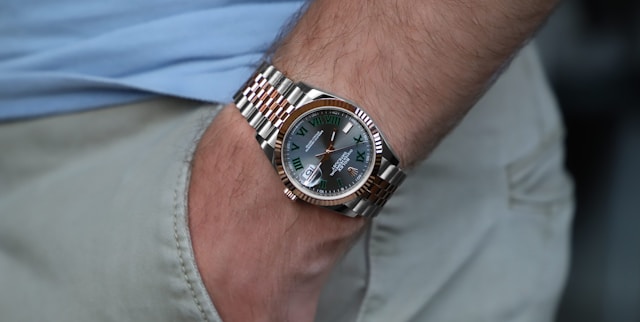
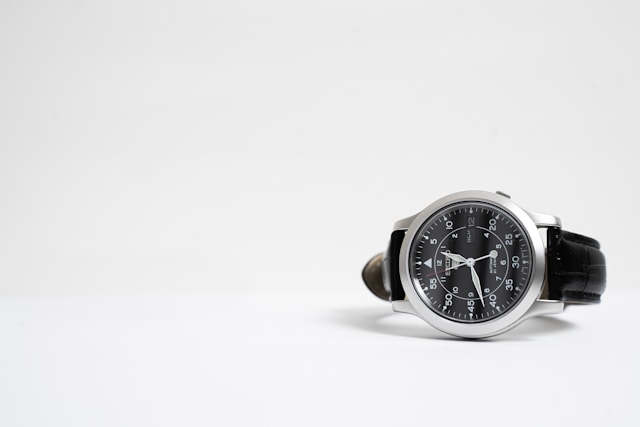
Taking Great Photos
Get Your Watch Ready
Wipe away fingerprints and dust with a soft cloth.
Set the time to 10:10 — it frames the logo and looks professional.
Keep your background clean — use a desk, plain fabric, or sheet of paper.
Tip: A clean setup is 80% of a great photo.
Find the Best Light
Use soft natural light from a window — no harsh sunlight.
Turn off overhead lights that cause reflections.
If the side facing you is too dark, hold up a sheet of white paper to bounce light back.
Tip: Window light = free, flattering, and perfect for metal watches.
Angle & Avoid Reflections
Don’t shoot straight down — tilt the watch slightly for depth.
Move your phone until you no longer see your reflection in the glass.
Keep your iPhone lens clean — smudges make sharp watches look blurry.
Use Your iPhone Smartly
Tap the dial to focus and hold to lock exposure (AE/AF Lock).
Drag the sun icon up or down to adjust brightness.
Try the 2× or telephoto lens if your iPhone has it — it looks more natural.
Brace your arms or rest your phone on a table for sharper images.
Quick Edit for a Clean Finish
Open Photos → Edit and tweak:
Brightness: + small amount
Contrast: + small amount
Straighten the dial
Avoid heavy filters — they can make metals look fake.
Quick Checklist
Clean watch & phone lens
Use soft window light
Simple background
Angle the watch slightly
Tap to focus & lower exposure
Take several shots
Lightly edit
Tip: Great shots = patience + good light.